本地开发 vs 部署到AWS环境
在本地开发/测试的优势包括:
- 运行速度超快
- 和AWS环境分离
- 在终端窗口可以看到日志
但需要注意,并不是所有的AWS服务都有对应的Mock service,比如:Cognito只能在AWS运行。同时,有些服务的Mock service的配置相对复杂,比如:step function。同时,如果使用多个微服务时,在本地不易集成。在本地的开发环境可能也和AWS的环境不一致。
如果只是使用Lambda,APIGateway,DynamoDB,可以使用serverless-offline+DynamoDB local来进行开发。
在本地开发Lambda
可以使用serverless offline这个插件
首先安装包:
npm install --save-dev serverless-offline然后在serverless.yml中声明:
plugins:
  - serverless-offline
接下来运行:
sls offline start可能出现下面错误:
sls offline start

Serverless Error ----------------------------------------

Serverless command "offline start" not found. Run "serverless help" for a list of all available commands.
解决办法
npm install -g serverless-offline
serverless plugin install --name serverless-offline
再重新启动,可以看到在本地的3000端口就能测试这些Lambda了,当然,前提是在Lambda中没有对DynamoDB,S3等AWS资源的访问。
sls offline start
Dynamodb Local Started, Visit: http://localhost:8000/shell
Serverless: DynamoDB - created table score-table
offline: Starting Offline: dev eu-west-1.
offline: Offline [http for lambda] listening on http://localhost:3000
offline: Function names exposed for local invocation by aws-sdk:
在本地开发DynamoDB
有几种不同的方式来使用本地的DynamoDB:
使用本地的DynamoDB
这里指的是独立于serverless项目之外的DynamoDB数据库。具体安装/配置方法。
使用轻量版的dynalite
这个库已经有两年没有更新了。具体细节参考官网:https://github.com/mhart/dynalite
不推荐-在serverless中使用serverless-dynamodb-local插件
安装dynamodb-local
安装包:
npm install --save-dev serverless-dynamodb-local由于AWS官方的DynamoDB使用Java写的,因此,还需要在本地安装JRE/JDK。
同时运行如下命令从官网下载DynamoDB对应的jar并安装:
sls dynamodb install注意,在运行上面命令的时候可能会出错:
sls dynamodb install

Serverless Error ----------------------------------------

Serverless command "dynamodb install" not found. Run "serverless help" for a list of all available commands.
解决方法
npm install -g serverless-dynamodb-local
serverless plugin install --name serverless-dynamodb-local
在运行完毕后会看到本地的一个目录:.dynamodb
ls -l .dynamodb\
total 5760
-rw-r--r-- 1 lcoding lcoding 5793048 Oct  7 23:46 DynamoDBLocal.jar
drwxr-xr-x 1 lcoding lcoding       0 Nov 25 09:46 DynamoDBLocal_lib/
-rw-r--r-- 1 lcoding lcoding    9450 Oct  7 23:44 LICENSE.txt
-rw-r--r-- 1 lcoding lcoding    4443 Oct  7 23:44 README.txt
-rw-r--r-- 1 lcoding lcoding   29753 Oct  7 23:44 THIRD-PARTY-LICENSES.txt
配置
更新serverless.yml:
plugins:
  - serverless-offline
  - serverless-dynamodb-local
同时增加对DynamoDB的定义:
custom:
  tableName: score-table
  dynamodb:
    stages:
      - dev
    start:
      port: 8000
      inMemory: true
      migrate: true
    migration:
      dir: offline/migrations
创建文件offline/migrations/score.json:
{
    "Table": {
        "TableName": "score-table",
        "KeySchema": [
            {
                "AttributeName": "StudentID",
                "KeyType": "HASH"
            },
            {
                "AttributeName": "Subject",
                "KeyType": "RANGE"
            }
        ],
        "AttributeDefinitions": [
            {
                "AttributeName": "StudentID",
                "AttributeType": "S"
            },
            {
                "AttributeName": "Subject",
                "AttributeType": "S"
            },
            {
                "AttributeName": "Date",
                "AttributeType": "S"
            }
        ],
        "GlobalSecondaryIndexes": [
            {
                "AttributeName": "Date",
                "KeyType": "HASH"
            },
            {
                "AttributeName": "Subject",
                "KeyType": "RANGE"
            }
        ],
        "ProvisionedThoughput": {
            "ReadCapacityUnits": 1,
            "WriteCapacityUnits": 1
        }
    }
}
测试本地的DynamoDB
运行:
sls dynamodb start
Dynamodb Local Started, Visit: http://localhost:8000/shell
Serverless: DynamoDB - created table score-table
或者运行如下命令也会自动启动DynamoDB:
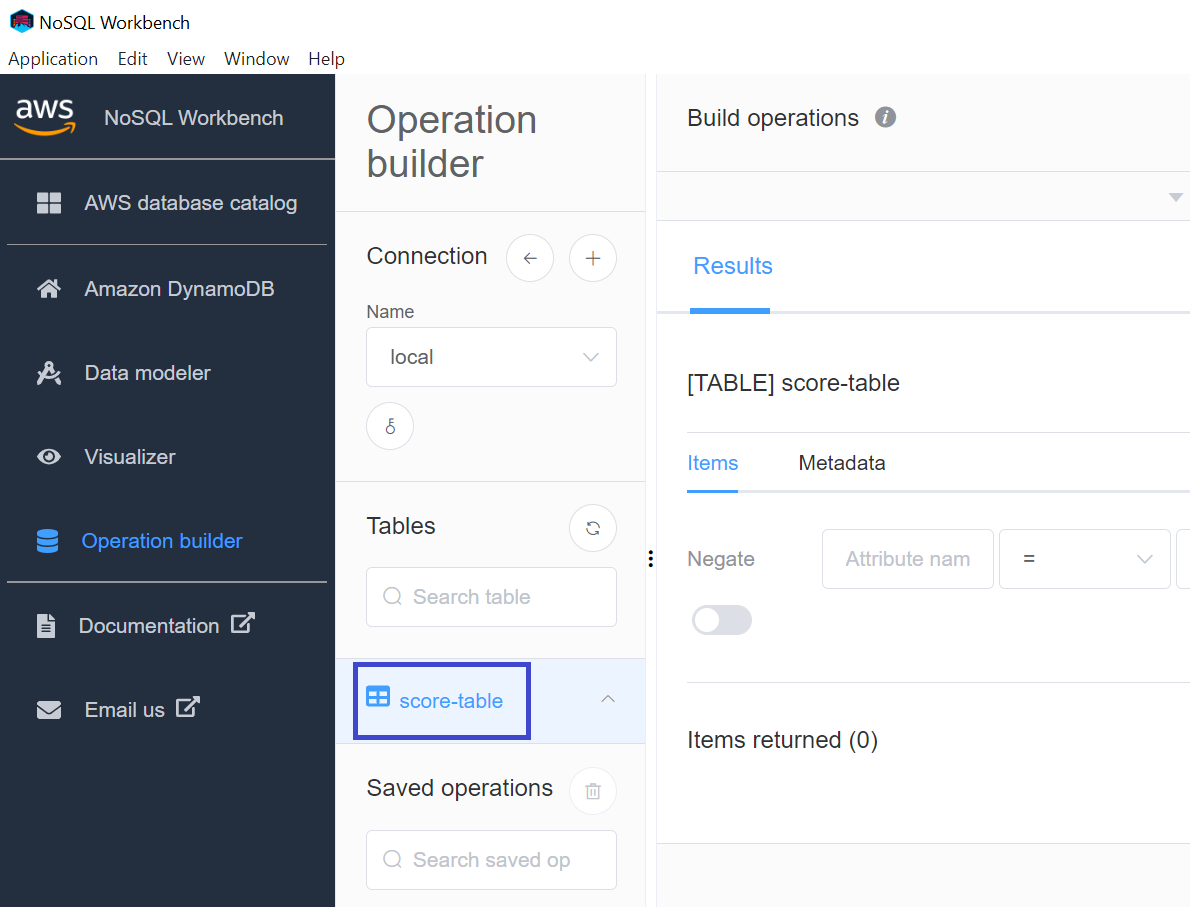
sls offline start通过NoSQL Workbench连接本地DynamoDB后可以看到新创建的score-table:
和DynamoDB操作相关的Lambda
更新和DynamoDB相关的Lambda:
const AWS = require('aws-sdk');

let options = {}
if (process.env.IS_OFFLINE) {
    options = {
        region: "localhost",
        endpoint: 'http://localhost:8000'
    }
}
const documentClient = new AWS.DynamoDB.DocumentClient(options);
这样的话,只要环境变量中有IS_OFFLINE为true,就会对本地DynamoDB进行操作。
本地开发S3
安装依赖库:
npm install serverless-s3-local更改serverless.yml
plugins:
  - serverless-offline
  - serverless-s3-local

...

custom:
  s3:
    host: localhost
    directory: /tmp/S3
JavaScript代码
let options = {};
if (process.env.IS_OFFLINE) {
  options = {
    s3ForcePathStyle: true,
    accessKeyId: 'S3RVER', // 这个accessKeyId及下面的secretAccessKey都是固定的
    secretAccessKey: 'S3RVER',
    endpoint: new AWS.Endpoint('http://localhost:4569'),
  };
}
const s3Client = new AWS.S3(options);