在使用React进行开发的时候,如果是简单的表单还好。如果遇到复杂的表单,比如分好几个步骤的表单,联动效果的字段,多层结构的字段等等,就需要一个好的框架的支持了。下面介绍一下:React Hook Form

React Hook Form官网:https://react-hook-form.com/
React Hook Form GH:https://github.com/react-hook-form/react-hook-form
React表单系列
React Hook Form的特色
- GH 23K 星
- 在缩减代码量的同时,通过减少re-redender来提高性能
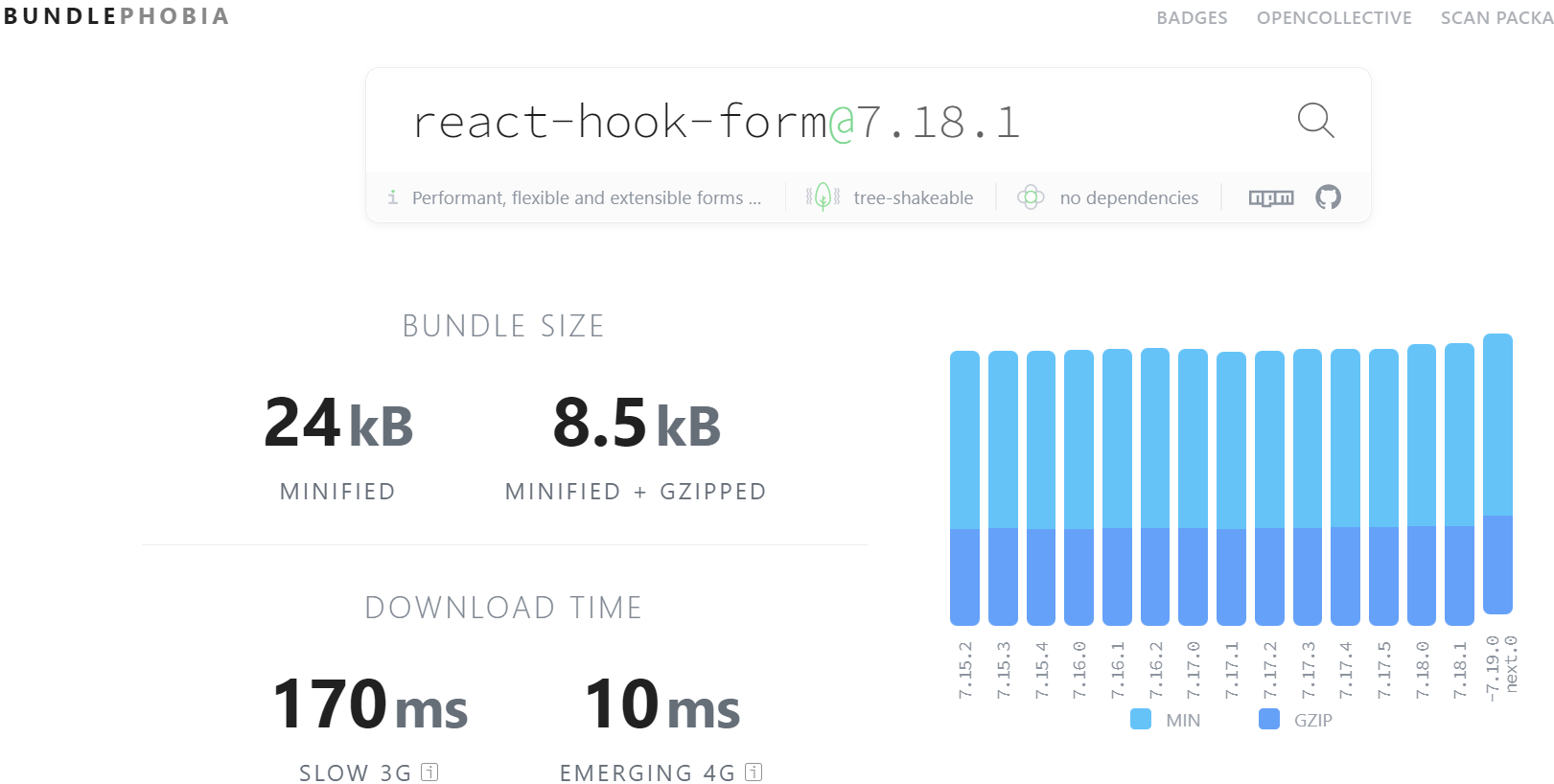
- 不存在任何依赖库,打包后非常小,比如下图中Bundlephobia中显示的数据非常吸引眼球,只需要24K。
- React Hook Form在设计中用到了uncontrolled components,这样就会提高其在渲染时的性能。因此和Formik相比,其尺寸更小,性能更佳。关于Formik和React Hook Form之间的对比,请参考这篇文章:https://dev.to/doaashafik/formik-vs-react-hook-form-aei
安装依赖
yarn add react-hook-form官网示例
首先尝试了官网的一个例子:
import { useForm } from 'react-hook-form';

export default function ReactHookFormDemo() {
    const {
        register,
        handleSubmit,
        formState: { errors },
    } = useForm();
    const onSubmit = (data) => console.log(data);

    return (
        <form onSubmit={handleSubmit(onSubmit)}>
            <input {...register('firstName')} /> {/* register an input */}
            <input {...register('lastName', { required: true })} />
            {errors.lastName && <p>Last name is required.</p>}
            <input {...register('age', { pattern: /\d+/ })} />
            {errors.age && <p>Please enter number for age.</p>}
            <input type="submit" />
        </form>
    );
}
可以看到,它具备的基本功能:
- 注册输入字段,之后可以通过Object.字段名来获取
- 提供验证规则,支持基本验证,比如”required: true”或正则表达式。同时支持自定义错误提示
功能展示
下面列举一些(我个人感兴趣的)有用的功能,详细示例在这里:
联动字段
源码:https://codesandbox.io/s/react-hook-form-conditional-fields-qgr41
效果: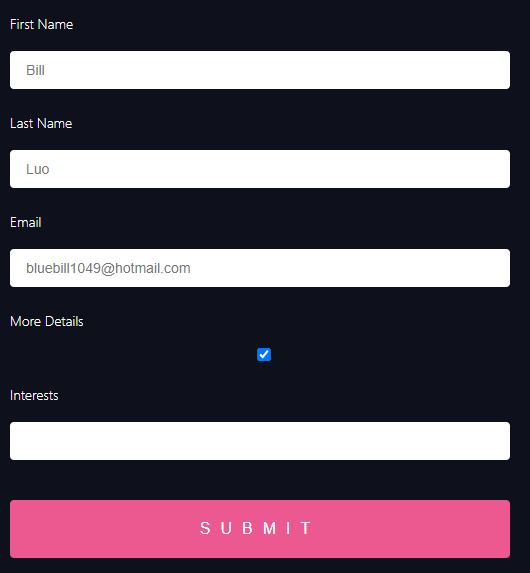
嵌套表单
源码及演示:https://codesandbox.io/s/react-hook-form-nested-fields-9xhg0?file=/src/formSection1.js
多个Tab的表单
源码及演示:https://codesandbox.io/s/tab-form-34oio?file=/src/TabGroup.tsx
注意这里用到了 “little-state-machine” 这个库。